Communication
Email campaigns — the visual designer, merge tags, audiences, delivery and the shared footer.
Communication covers everything the organisation sends by email: campaigns written in a visual designer, addressed to an audience resolved from the member register, dispatched in paced batches with a per-recipient delivery log.
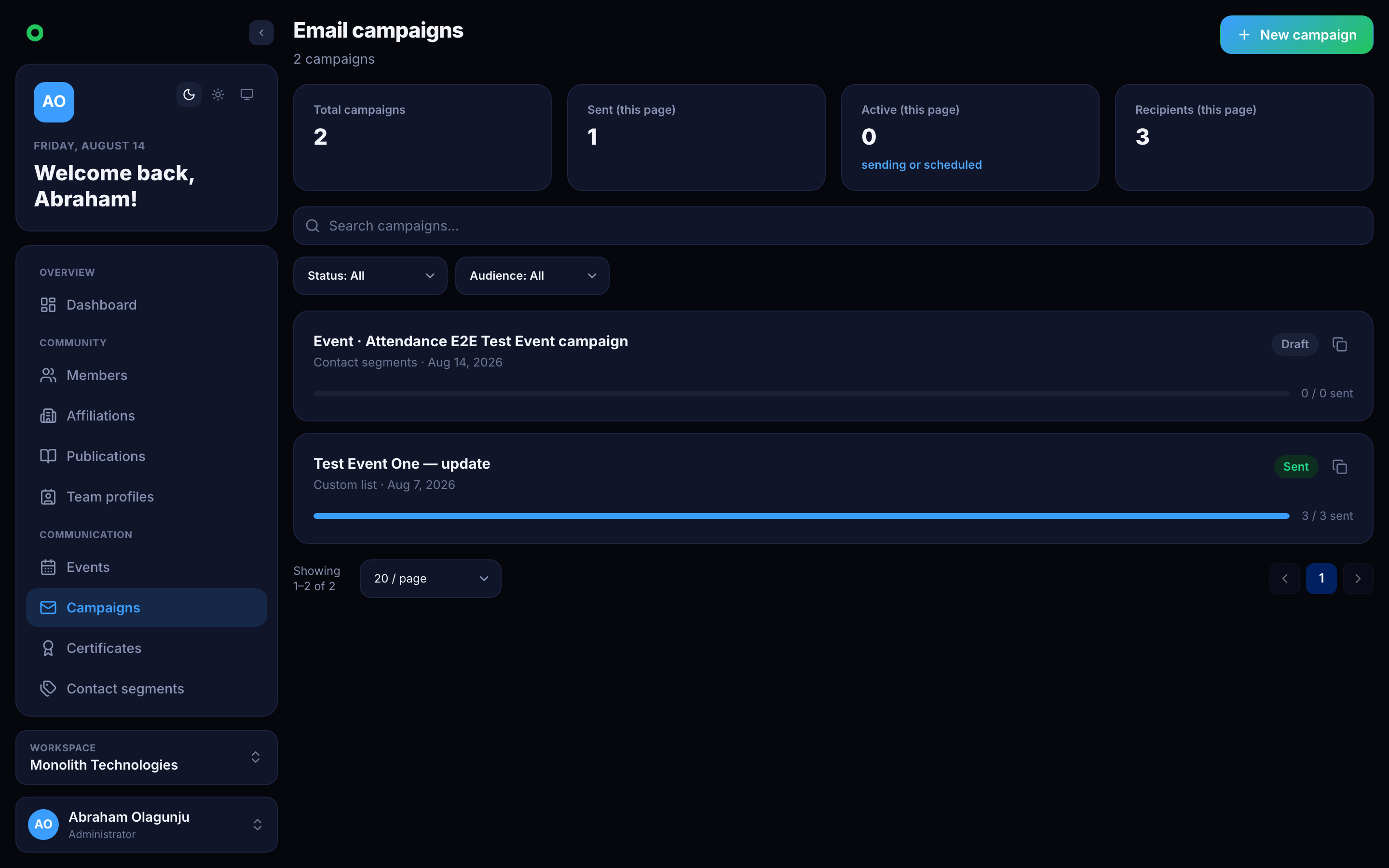
A campaign's life
A campaign starts as a draft and moves through scheduled, sending, and
then sent, partial or failed. A draft can be edited, duplicated, scheduled,
cancelled or deleted; once it is sending, its content is fixed.
The audience is resolved at send time, not at edit time — so a member who joins between scheduling and sending is included.
Composing
The Compose tab holds the internal title, subject line, inbox preheader, heading and attachments, with a live preview of the real compiled email beside it. The preview is rendered by the server, not approximated in the browser, so what is on screen is what leaves the building.
The visual designer
The body is built in a full-screen designer: a palette of elements on the left, the email in the middle, and an attribute editor on the right.
- Elements — image, text, button, heading, divider, social, spacer and a raw HTML block. Drag one onto the canvas or click to append it.
- Layouts — one to four columns, including 1/3 : 2/3 splits. Columns hold their own blocks.
- Typing in place — headings, button labels and text blocks are edited directly on the canvas, with the formatting bar appearing above the words.
- Attributes — every element has its own settings, including colours that override the design palette for that element alone. Left alone, an element follows the design.
- Saved swatches — a colour saved to the palette is available in every colour field, in this campaign and the next.
Merge tags
Merge tags resolve per recipient from the member record behind the address. A tag with nothing behind it resolves to nothing rather than printing itself.
| Group | Tags |
|---|---|
| Identity | {{firstName}}, {{lastName}}, {{fullName}}, {{email}}, {{memberId}} |
| Membership | {{affiliation}}, {{membershipStatus}}, {{membershipTier}}, {{membershipExpiry}}, {{memberSince}} |
| Contact | {{phone}}, {{city}}, {{state}}, {{countryCode}} |
| Links | {{unsubscribeUrl}}, {{button:Label|https://url}} |
Write around empty values. "Hi {{firstName}}" is safe; "Your {{membershipTier}} membership" reads oddly for a recipient with no tier.
The shared footer
The footer under every email — logo, contact block, social links, unsubscribe line — belongs to the tenant, not the campaign. It is previewed under the canvas and edited from there, and a change applies to every campaign and every transactional email at once. It supports several addresses and several phone numbers.
Audiences
| Mode | Who it resolves to |
|---|---|
| All members | Every member with an active membership |
| Filtered | Members matching status, country, affiliation or a search term |
| Contact segments | Everyone in the selected segments, deduplicated |
| Custom list | Explicit addresses, matched against the register where possible |
Whatever the mode, addresses are deduplicated, invalid ones are rejected, and anyone on the do-not-email list is suppressed before a message is sent.
Delivery
Dispatch writes a recipient row before any mail leaves, then sends in batches whose size and spacing the tenant configures. Each row records its status, attempts, send time and failure reason, so a partial send can be retried without re-sending to anyone already delivered to. Permanently rejected addresses are added to the do-not-email list automatically.
Test sends
A test send prefixes the subject with [TEST] and fills merge tags with
obviously fake sample data, so a placeholder left in by mistake reads as one.